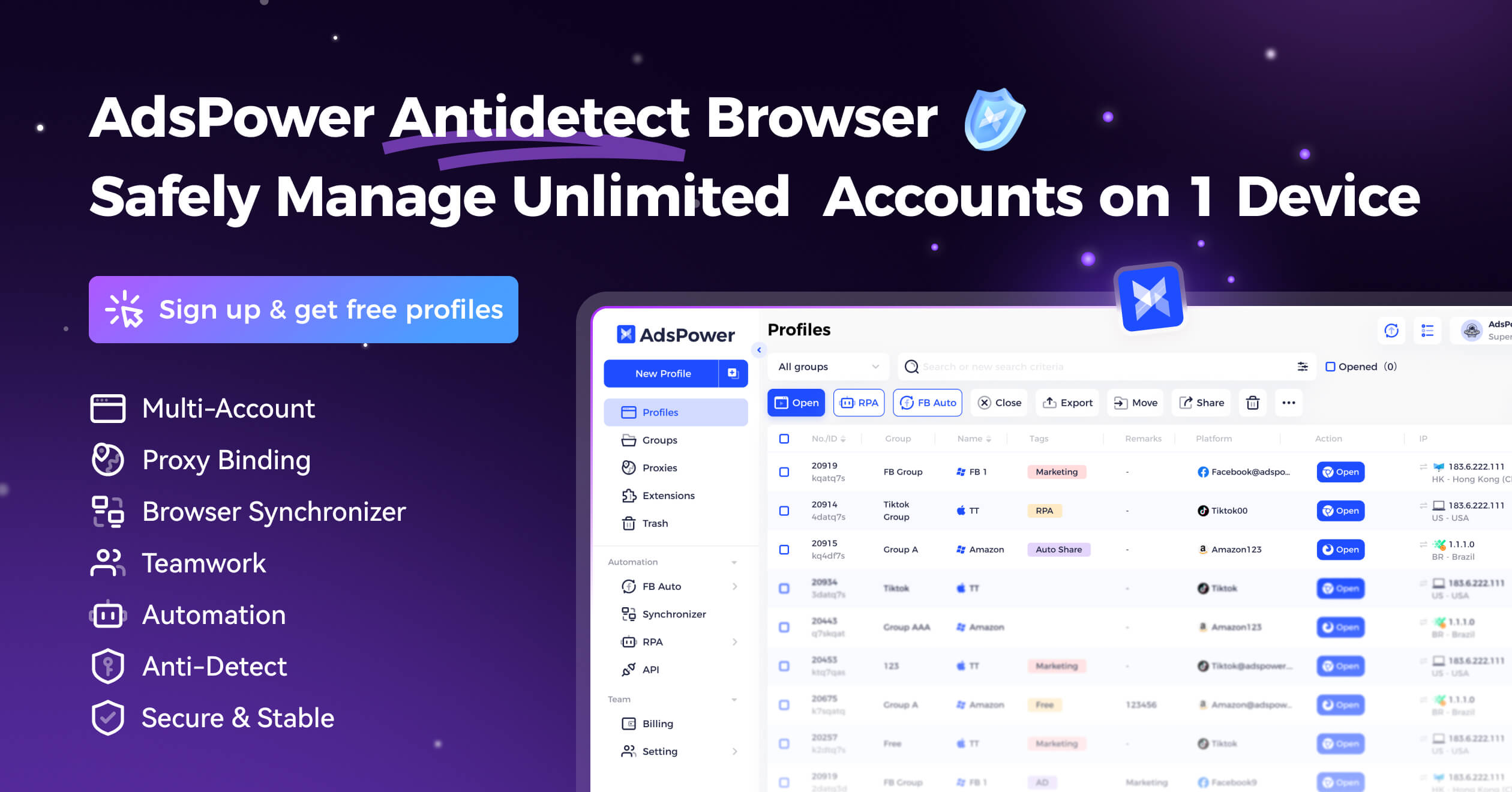
What is AdsPower?
AdsPower is a browser profile manager for people who work across several online accounts. It brings separate browsing environments, team access and repeatable browser tasks into one workspace. For an agency managing client projects or an operator switching between business accounts, the appeal is a clearer boundary around each piece of work: open the right profile, keep its session separate, and return to it without rebuilding your setup.
A dedicated browser environment for each account
AdsPower lets you create profiles with their own browser settings and session data. Its two browser options are SunBrowser, based on Chromium, and FlowerBrowser, based on Firefox. Profile settings include fingerprint configuration and proxy connections, while bulk actions help organize larger collections of profiles.
The practical question is how much context switching your team handles. If two projects need separate logins, extensions and working environments, a profile-based workspace may make that separation easier to maintain. Start with a naming convention such as client, project and purpose. A tidy profile list is more useful than a large collection nobody can confidently identify.
Team workflows with clearer ownership
AdsPower offers profile sharing and member permissions. That makes it relevant when a project moves between colleagues, or when several people need access to different parts of an account portfolio. The right setup depends on the permissions included in the chosen plan.
Before rolling it out, decide who owns each profile, who may open it, and what should happen when someone leaves a project. Test the handover with a low-risk account you are authorized to manage. Ask a colleague to find the correct environment and complete one routine task. If they need a separate explanation every time, refine the naming and access rules before adding more accounts.
Automation for the browser work you repeat
AdsPower's RPA tools support reusable browser processes, templates, scheduling and execution logs. Its Local API provides another integration route for technical teams. These are useful features to investigate when repeated browser actions are taking time away from the work that needs your judgment.
Choose one small process first, such as opening a set of internal pages and collecting a routine status check. Define the expected result, run it with non-sensitive test data, and inspect what happens when a page loads slowly or a required step is missing. A successful demonstration is only the beginning; a process is ready for regular use when someone can recognize a failure and recover from it.
A practical first-week evaluation
Use two authorized accounts with clearly different purposes. Create and label one profile for each, then check that switching between them preserves the intended session. Reopen the profiles after restarting the app, review the available sharing controls, and document the setup so another person can understand it.
Keep a short record of the time spent switching accounts, setting up profiles and resolving unexpected behavior. Compare that with your existing browser workflow. The aim is to discover whether AdsPower reduces daily friction enough to justify its cost and administration, rather than simply accumulating more profiles. This is a suggested evaluation exercise, not a report of hands-on testing by our editorial team.
Plans, limits and the offer link
At the time of checking, AdsPower's pricing page lists a free option with two profiles, alongside Professional, Business and Enterprise plans. Paid configurations depend on profile capacity and team requirements. Check the current plan details, billing period and included features before choosing a subscription.
Budget for the complete workflow, including any separately sourced proxy services, staff access and setup time. The offer buttons and advertisements on this page use our affiliate link. We may earn a commission if you purchase through it. Any promotion, eligibility requirement or final price is determined by AdsPower at checkout; this article does not promise a particular discount.
Where AdsPower fits best
AdsPower is worth considering when account organization is a recurring operational problem, especially for agencies, e-commerce teams and businesses managing several authorized workspaces. A simple personal workflow may already be well served by ordinary browser profiles. Assess the additional management and automation features against a concrete need.
Browser separation is not a guarantee against account restrictions and does not replace the rules of the services you use. Keep account access authorized, review the relevant platform terms, and make the purchase decision around organization, collaboration and repeatable work.
Give every workflow its own space.
Explore AdsPower, check the current plans, and start with the browser profiles your work actually needs.
Explore the AdsPower offer ↗Affiliate link: we may earn a commission if you purchase. Prices and eligibility are set by AdsPower.
Features to explore
- Separate browser profiles and session environments
- Chromium-based SunBrowser and Firefox-based FlowerBrowser
- Profile sharing and member permissions
- Bulk profile management and proxy configuration
- RPA workflows, scheduling and execution logs
- Local API for technical integrations
Who is AdsPower for?
Agencies, e-commerce operators and business teams that need to separate authorized account environments, manage access and evaluate repeatable browser tasks.
Before you get started
Check the current profile and team limits, data-handling settings, operating-system support and any separate proxy costs. Use accounts you are authorized to manage and follow each platform’s rules.
- AdsPower — official product overview ↗
- AdsPower — multi-account management ↗
- AdsPower — browser automation and RPA ↗
- AdsPower — current plans and profile limits ↗
This introduction is independently written from public product information. It is not a hands-on review. Features and plans may change; confirm current details with the provider.
Our editorial approach